How it works
What happens between the first ring and a confirmed appointment
Every step below is how Setu26 works today in our test hospital. The screens are real, with sample data.
The journey of a call
1. The call reaches Setu26
You decide which calls Setu26 answers: all of them, only after hours, or only when your line is busy, usually by forwarding from your existing number. It greets the caller with your hospital's name and can announce that the call is recorded.
2. It understands what the patient needs
The caller speaks naturally in Kannada, Marathi, Hindi or English. Setu26 works out whether they want to book, move or cancel a visit, or have a question about timings, fees or directions, and answers questions only from facts your hospital has entered.
3. It offers real, free times
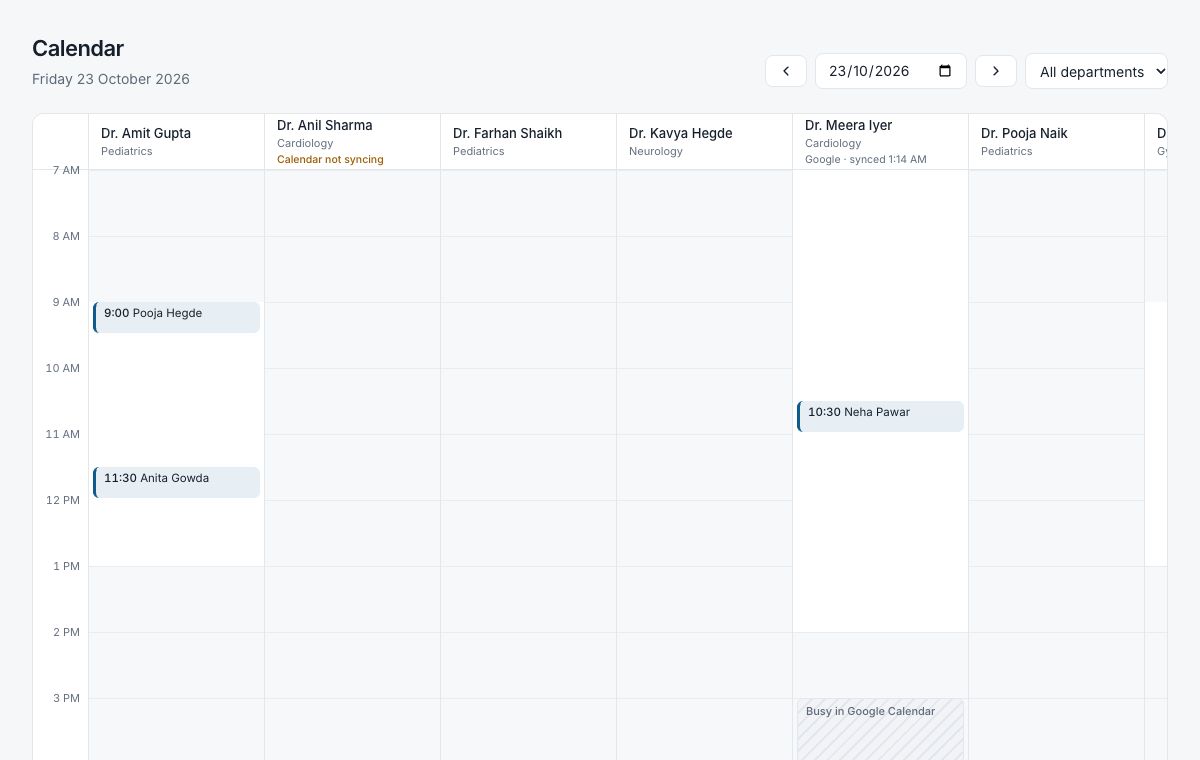
Setu26 checks the doctor's working hours, leave, existing bookings and, if connected, the doctor's own calendar. It offers only times that are genuinely free and holds the chosen time for a few minutes while it takes the patient's details.
4. The booking is confirmed everywhere at once
The confirmed appointment appears on your dashboard and hospital calendar straight away, and in the doctor's Google Calendar or Outlook if connected. The patient is told the reference and the time.
5. Your team sees the whole call
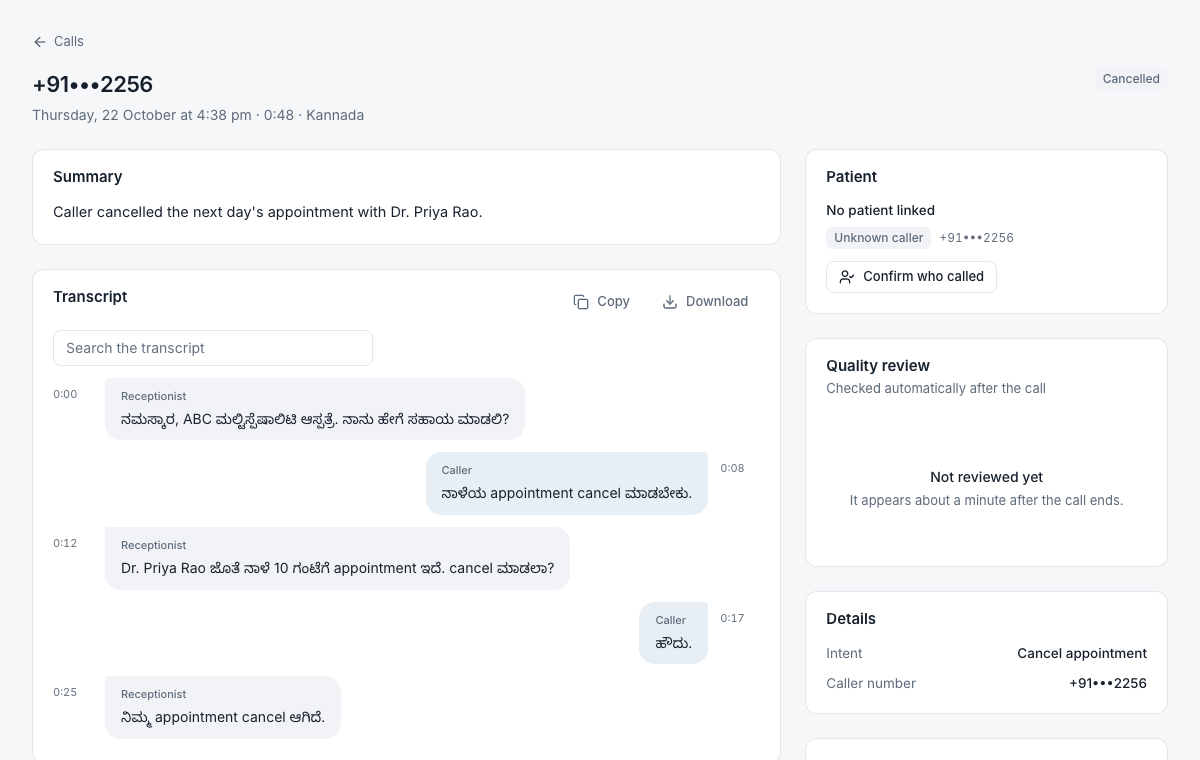
Each call has a recording, a transcript, a short summary and an outcome: booked, rescheduled, answered, transferred or callback needed. Staff can open the patient's history in one place.
When something goes wrong
A receptionist that fails quietly is worse than none. Setu26 is built so that a failure ends in a person following up, never in a patient believing something that is not true.
The time was just taken
Another caller or your desk booked it a moment earlier. Setu26 says so and offers the nearest free times instead.
Setu26 cannot complete a booking
If a system it depends on is unavailable, it does not pretend to confirm. It offers a callback and records the request for your staff.
The caller needs a person
It transfers to the number you choose during working hours, or records a callback with the reason when nobody can take the call.
An emergency is mentioned
Setu26 immediately gives your hospital's emergency instructions and does not continue with booking.
Too many people call at once
Callers beyond the limit hear that the hospital will call back, and a callback is recorded for each.
The caller hangs up midway
If they had chosen a time but not finished, a callback can be created so your team can complete it.
What your hospital sets up
Setting up takes a working session with us rather than a software project. You do not need existing hospital software.
- Your doctors and their OPD timingsNames, departments, days and hours, leave and how long a visit takes.
- The facts callers ask aboutTimings, fees, address and directions, what to bring, your emergency instructions.
- Which calls Setu26 should answerAll calls, after hours only, or when the desk is busy, and the number to transfer to.
- Who on your team uses the dashboardAccounts for reception and administrators, with the access each role needs.
See it with your own schedule
In a 30-minute call we set up two of your doctors in a test hospital and you phone it yourself, in Kannada, Marathi, Hindi or English.